Saturday, January 15, 2022

Frequencies used during the National PEARS VHF/UHF Contest 14 - 16 January 2022


It has come to my attention that the following frequency channels are allocated for Simplex FM during the contest:

145.500 - 145.575 Mhz

It is my opinion that you use 145.500 Mhz as the calling frequency and then move to another unoccupied frequency as allocated above.  Now I know that no one has the right to claim any frequency for permanent use.  The GRHub Network use 145.550 Mhz as a simplex link frequency for Echolink and AllStar .  This frequency is open for use by any radio amateur at any time.  As can be seen this frequency falls slap bang in the allocated contest frequencies above.  This is really no problem at all and can any radio amateur participating or not participating in the contest use the 145.550 Mhz frequency at any time if it is not in use.  Locally I have not heard any contest activity on 145.550 Mhz except for a relay of a contest station in the Cape Town area last night.  This does not mean that there is no contest activity on the 145.550 Mhz frequency.

Although I can use 145.550 Mhz as before I have decided to disconnect the RF Link on 145.550 Mhz until the end of the PEARS VHF/UHF Contest.  This is done to ensure that the frequencies are clear for use by contesters but also to adhere to the Amateur Radio Code.  No transmissions from the GRHub Network will be relayed on the 145.550 Mhz frequency during the duration of the contest.  However all normal activity will still continue on the 49355 AllStar and ZS1I-L Echolink nodes as before.  

I would once again like to wish all radio amateurs taking part in the contest good luck and may you make many contacts.  Enjoy!!

PS. Normal GRHub  145.550 Mhz RF Link activities will again commence at 12:00 UTC on Sunday 16 January 2022.


Easy way for beginners to setup an APRS Station (Part 1)

Image:  YAAC (Yet Another APRS Client)

APRS returns to the Garden Route Area with an Igate, Objects, Digipeater, New Client Program and Build A Pi Operating System!!

APRS/PACKET/AX25 has a rich history in the Garden Route Area.  Unfortunately it fell along the wayside for some or other reason. I ran both a BBS and APRS system at my QTH about 10 years ago.  Both systems prove to be very popular and useful. In a future post I will write about the history of APRS and Packet Radio in this area.  In this post I will as the title indicate provide detail of the return of APRS to the Garden Route Area.

I recently decided to look at APRS again.  For those thinking that APRS is just a "tracking" program, I suggest you read more about APRS.  I was looking for new client firmware and a software TNC as to setup a low cost and good working system that could easily be setup and used by new and not so new radio amateurs.   The other important factor was that all the firmware must run on a Raspberry Pi 3 as I do not want to dedicate a laptop or desktop computer for this purpose.  Now there are several firmware programs that can be used with a Raspberry Pi.  I decided to use the following:

The hardware will be:

  • Raspberry Pi 3 B
  • VHF Motorola or Baofeng HT Radio
  • The DuinoVOX Homebrew USB Soundcard Interface

I chose the "Build a Pi"  firmware and installed it as described by Jason KM4ACK .  Build-a-Pi was quick to install  and easy to setup. Rather than downloading a pre-built image where I have no choices in the build, I decided that Build-a-Pi was the route to follow. Build-a- Pi gives me complete control over the build. It allows me to choose the applications I want to install.  Once installed all I had to do is to open YAAC and Direwolf and setup both programs as recommended by KA2DDO and WB2OSZ.  A hour or two later I had bothYAAC and Direwolf setup and working great.

Currently it is running in Igate Mode without any RF Connections.  The next step would be to setup the RF side of things after I decided what radio I will be using.  The YAAC software has several interesting features.  To know more about them download the following PDF file: 

YAAC: The Development of "Yet Another APRS Client", an Open-Source Cross-Platform Application

Dire Wolf is a modern software replacement for the old 1980's style TNC built with special hardware.

Without any additional software, it can perform as:

  • APRS GPS Tracker
  • Digipeater
  • Internet Gateway (IGate)
  • APRStt gateway

It can also be used as a virtual TNC for other applications such as APRSIS32 , Xastir , APRS-TW , YAAC , PinPoint APRS , UI-View32 , UISS , Linux AX25 , SARTrack , Winlink Express (formerly known as RMS Express, formerly known as Winlink 2000 or WL2K) , BPQ32 , Outpost PM , Ham Radio of Things , Packet Compressed Sensing Imaging (PCSI) , and many others.

More information on Direwolf can be obtained from the GitHub site of WB2OSZ by clicking HERE.

Update and images to follow once I decided what radio I will be using for the RF section and what APRS functions I would like to implement.  

Finally: I wrote this article to hopefully encourage new and not so new radio amateurs to join the ranks of APRS.  Why?  Because you can and it is fun!! Do not forget about all the capabilities of APRS.  More on this also in a future posting. There are currently only a few local radio amateurs using APRS but in the past week several mobile stations from other areas were observed traveling in the Garden Route Area.

The stations were: Rassie ZS1YT, Charles ZS1CF, Thys ZS1TBP and Jimmy ZS1RB

Image:  Spotted Rassie ZS1YT visiting the Garden Route Area

Image:  Direwolf ready to do its thing.

Image: Direwolf in action

Image:  Build A PI on the Raspberry Pi

(Click on images for larger view)

Friday, January 14, 2022

PEARS National VHF/UHF contest 2022 January 15, 16


I would like to wish all radio amateurs taking part in the National VHF/UHF PEARS contest this weekend good luck and may you make many contacts. Thanks to Chris ZS1FC for relaying contest audio on the Echolink/AllStar link network.  The current contest conditions look favorable along the West Coast as well as between Cape Town and Port Elizabeth this evening.  Will look at the updated chart later this evening.  Enjoy and be safe out there!!

VOIP and RF Radio Networks - "So how do we access the system here in George?"


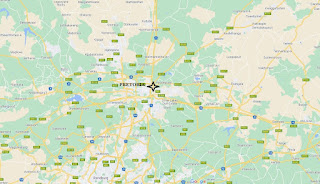
 Image:  Google (Click image for larger view.)

Okay, Andre and others that might not know. There's several options available how to access the system. And I'm going to start with the easiest called RF. In other words a 2 Meter Radio on 145.550 Mhz simplex.  Unfortunately at the current moment the GRHub Link Antenna is only about 6 meters from the ground. Corne ZS1COR from George gets into the system by using a Yagi. I plan to put the antenna higher up as soon as I can extend the current mast. By putting the antenna higher up I trust that we'll get a better signal into George so that guys can access the system with a normal J-pole or Slim-Jim or any other gain antenna. I'm working on a 70 cm access point as well, so hopefully in future there will be a 70 cm link active on the GRHub network. 

The second method to access the network is via Echolink. Now some say it it too complicated and it's not amateur radio. You get those that does not like the Internet connected to repeaters.  Be as it may that's not for me to comment on. You setup Echolink on either a laptop or desktop computer. You can even do it on a Raspberry Pi.  You connect to ZS1I-L or any other stations that is linked to the network  and then you can talk worldwide and access all those other links that I've mentioned in the VOIP and RF Radio Networks article.

The third way is AllStar. AllStar is a little bit more difficult. Well, I wouldn't say difficult. It's got a little bit more setup work. You need some knowledge of Linux to setup AllStar.  AllStar has far better audio quality than Echolink and a variety of Codecs that can be used. It took me quite some time to get the AllStar system up and running, as it uses a Soundcard Fob and all sorts of other hardware. I don't run Echolink on the GRHub network. I created a gateway from Allstar to Echolink. The audio quality is far better than what Echolink can provide. So that's the third method how you can link to the Hub network.

The fourth method is to set up an Echolink Link System in sysop mode with an RF radio attached to your computer, and then you leave that link setup permanently on Echolink. You now form part of the network. You can use your little handheld radio sitting in your lounge or in your shack or even in your garden, and then work to your two meter mobile radio or base station radio, whatever you put up for a link radio. And from there it goes into Echolink, and then it gets sent to the network.

You can put your little handheld on low power and access the area around your house or your perimeter of your house and then you form part of the link system that is currently displayed in that post in that update. 

The next method is to set up an AllStar Link System similar to the fourth method. There are also other methods to join the network.  In a future install I plan to re-setup AREDN on the 5 Ghz band allowing radio amateurs to access the network through AREDN.

I forgot to mention there's a couple of more methods to access the hub. You can use your cell phone with Echolink installed on your cell phone. Just link to ZS1I-L using your cell phone to get onto the linked network. This way you don't need to have your laptop/desktop running all the time. 

 I'm also planning to setup a gateway between DMR and Allstar that will allow DMR as well as other digital radio functions, modes, whatever you want to call them to access the network.  I've got two digital radios and I will be able to use these radios on the network as well.

The gateway is not up and running currently. So I have to get that going first, but we do it as we go along. I think the first priority now is to get the radio mast higher up in the air to give a better reception/ coverage area. 

I've been asked to put up either a VHF, UHF or digital repeater. Now I don't understand why I've got to put up a repeater. Yes, it's easy to put up a repeater. It's not a difficult thing to do.  I don't see why I should put up more repeaters in this area. There's so many repeaters already and they are not used on a regular basis.  Why should I go through all the trouble in getting a repeater up and it's used by one or two radio amateurs? It's not worth it. It's a waste of money and time.  I can also put up a UHF repeater.  But how many guys are using UHF in this area? What about a  digital repeater. Yes, that is also an option but once again how many radio amateurs in this area have digital radios.

Time will tell whether any additional repeaters will be setup in this area.  Until now the GRHub Network has shown to do everything a repeater can do and even more.  Future upgrades and add-on installations will be implemented as and when necessary. 

Finally:  I trust that the above provide information on how to access the network system.  My suggestion is that if you want to form part of the ever growing network, you install a permanent Echolink or AllStar Radio Link System in your shack and join the network.  This way you form part of the network but you also allow other radio amateurs to access the system in your area.  That way the network keeps on growing.   If you would like more information or you have any questions please feel free to send me an email in this regard by clicking HERE.


Tuesday, January 11, 2022

ZS1I GRHub AllStar Node 49355 Relocated

 My earlier announcement refers:

"GRHub Network will be down for relocation and maintenance purpose between 10h00 and 13h00 today. I apologize for any inconvenience in this regard."

Everything done and dusted!!


 Top shelve:  Wifi Internet Connection Middle shelve: The ZS1I 49355 Allstar Node (homebrew) Bottom Shelve:  145.550 Mhz Link Radio, Fan and SWR Meter.  Desk:  Homebrew Power Supply, Fan Controller and JBL Monitor Speaker.


VOIP and RF Radio Networks expanding rapidly over large parts of South Africa!!


Great News!!  As the title indicate VOIP and RF Radio Networks links are rapidly expanding over large parts of South Africa, thanks to the efforts of several radio amateurs.  Currently the following VOIP and RF Radio Networks are linked together:

Network + Administrator

  • ZS0JPL-R  Pretoria Amateur Radio Club Echolink + Repeater Network - Johan ZS6JPL
  • ZS5PMB-R  Pietermaritzburg AllStar/Echolink Repeater Network - Koos ZS5KDK
  • ZS2PE-R  PEARS IRLP/Echolink Repeater Network -  Chad ZS2CJ
  • ZS4OIL-R  Sasolburg Amateur Radio Club Echolink/Repeater Network - Michael ZS4OIL
  • ZS6MAJ-R Bo Karoo Amateur Radio Club (Van Der Kloof) Echolink/Repeater Network - Nico ZS6MAJ
  • ZS1FC-L  Jacobsbaai Echolink + RF Simplex Radio Link - Chris ZS1FC
  • ZS1I-L  Mosselbaai GRHub Network  AllStar/Echolink + RF Simplex Radio Link - Johan ZS1I

The following images reflect the network areas mentioned above.


(Click on images for larger view. -  Google)

Lots of activity and traffic were heard on these networks.

Here is the Connection Log of the GRHub Network in PDF format.  Click HERE to download. 
 
Unfortunately I cannot provide info on stations connected to all the other networks as I do not have them on hand.  Nor do I have any information on those who listen via the RF Networks. I however did write down a few stations that I heard on the network over the past few weeks:
 
Thys ZS1TBP Mosselbaai
Wikus ZS1WLM Saldanha
Deon ZS6DDM Nelspruit
Chris ZS1FC Jacobsbaai
Charles ZS1CF  Langebaan
Pieter ZL1PDT  New Zealand
Riaan ZS4PR Sasolburg
Frans ZS4FP  Sasolburg
Pieter ZS3PG V d Kloof
Marco ZS1NEU Mosselbaai 
Martin ZS6ZY  Pretoria
Mike V51??   Namibia
Theunis ZS2EC Port Elizabeth
Joe ZS6TB  Pretoria
Koos ZS5KDK Pietermartizburg
Roy ZS6MI Pretoria
Trevor ZS1TR Agulhas
Marjoke ZS5V Midlands KZN
Craig ZS5CD KZN
Pieter ZS4PAW
Jannie  ZS6BVM
Bertus ZS6VIL
Roelf ZS6ARR

If I left somebody out in the list above, forgive me as it was not done on purpose.  It is just a matter that I did not hear your conversation on the network.

Finally I would like to thank everyone who contributed in which ever way to setup Echolink/Allstar/VOIP/Repeaters/Simplex Links and making it available for radio amateurs to use.  I would furthermore like to invite other clubs and radio amateurs to link their systems to the current network.  There is really no conditions to join the network.  The normal operating conditions are used with a request that you announce your station/network when connecting and disconnecting and leave a large enough gap (space) between overs so as to allow all systems the time to reset.

A recent comment by one radio amateur sums it all up:  "It is now possible to "talk over" large parts of South Africa and even the World with only a small handheld radio sitting in my Shack or where ever.  The world has become really smaller and is now in reach by simply pushing a small button."

If you would like to obtain more information on how to use the Network or join it shoot me an email by clicking HERE.  I will gladly assist you in this regard.

GRHub Network will be down for relocation and maintenance purpose between 10h00 and 13h00 today.


Please note that the ZS1I GRHUB Network will be down for relocation and maintenance purposes between 10h00 and 13h00 today.

The 49355 AllStar Node will be relocated into a better rack system where all equipment can be housed in one area.  No I will not move the current antenna.  This will be done at a later stage as soon as I finished the mast for this purpose.  At the same time I will also perform maintenance and back-up of the system.

I apologize for any inconvenience in this regard.

Sunday, January 9, 2022

Unintentional or Deliberate Interference during Bulletins


Now I do not want to discuss this issue. All that I would like to do is to draw the intention of radio amateurs to "remedies" to curb unintentional transmissions on Echolink and AllStar should it be applicable.

1. To prevent unintentional TX do not use Vox on Echolink or AllStar, period!! I need not explain why as you can find many articles on the Internet as to why the use of Vox is not a good idea on VOIP.

2. Echolink has a feature in sysop mode called: Listen-Only Mode for RF Links: This feature prevents any transmissions received over the RF link from being sent over the Internet to the remote station. This is useful for monitoring a conference, while assuring that any local RF activity (IDs, squelch tails, etc.) does not interrupt it inadvertently. Select this item again to clear Listen-Only mode and return to normal operation. EchoLink will also return to normal operation automatically when the current connection is dropped.

Now I do not know if there is such a feature in the Users node type. As for VOIP modes accidental TX from a station, can be stopped by disconnecting the station. By repeated deliberate TX the station can be banned from connecting to the said station.

3. List Me as Busy: Changes your station's listed status from On to Busy. This is useful to discourage other stations from trying to connect to yours during periods when you would like to run EchoLink but do not wish to accept incoming connections. Although not quite relevant List Me as Busy can discourage other stations to connect and make you the culprit should there be a accidental TX.

4. AllStar has several features to curb deliberate or accidental TX when a bulletin is in progress. I am not going into detail as there are not many AllStar Nodes that Gateway to Echolink in South Africa. I have mentioned before that I take the utmost care not to allow unwanted TX'ing during bulletin broadcasts. I use the following features:

4.1 Activated Connection Log to log connecting stations info, time etc.

4.2 Supermon 6.2 Firmware to monitor all activity.

4.3 Automated pre-setup of Favorite Stations to connect to. I have the option to connect in TX, RX or Monitor mode. All bulletin relays from ZS1I-L are done using the RX or Monitor mode setup. This will prevent any unwanted TX'ing during a bulletin. I can also manually set this option in AllStar.

4.4 Auto cut-off of the ZS1I 145.550 Mhz RF Link via Cellphone should there be accidental or deliberate interference on this frequency. I can also use the cellphone for 4.1, 4.2, 4.3 and 4.5.

4.5 I have the automated option to disconnect all AC and DC power to the GRHub Network and my Shack in the event of a problem.

Finally: It is the responsibility of every radio amateur to adhere to the Radio Regulations and Amateur Radio Code. It does happen from time to time that unintentional and deliberate interference is caused on our bands. Please ensure that you monitor your station at all time. Do not leave your Shack Radios and VOIP Systems unattended. In the event of deliberate interference by an unlicensed intruder follow the guidelines as stipulate on the SARL Web-site.

Saturday, January 8, 2022

NEW EMC RULES FOR ALL ELECTRONICS WILL BENEFIT AMATEUR RADIO


All electrical and electronic devices in South Africa that do not have radio frequency modules must have valid electromagnetic compatibility certificates recognised by the South African Bureau of Standards (SABS). The new rules should go a long way to take electronics off the market that cause radio interference, electronics like switch mode power supplies, LEDs and electronic equipment where noise suppression circuitry has been omitted to save cost. The new rule comes after the SABS and Independent Communications Authority of South Africa (ICASA) were met with criticism after they tried to implement a new compliance regime in 2017.

Among the concerns was that only compliance certificates from test laboratories authorised and integrated into the SABS Authorised Laboratory Programme would be recognised. ICASA and the SABS have now changed their approach, recognising internationally accredited labs. Ironically the SARL has on several occasions discussed this issue with ICASA and is delighted that this issue has been resolved. This new rule may also have a positive impact on type approval. The SARL has requested an urgent meeting of the SARL/ICASA liaison committee to pursue this matter.

Friday, January 7, 2022

2 Meters Tropospheric Ducting Experiment: West Coast, Garden Route, Limpopo and New Zealand Radio Amateurs taking part.

Image:  Hepburn Charts


The West Coast Radio Amateurs are once again actively involved in experimenting with Tropo Ducting on 2 Meters.  Last night the following radio amateurs were involved:

  • Chris ZS1FC Jacobsbaai
  • Thys ZS1TBP Mosselbaai
  • Pieter ZL1PDT New Zealand
  • Deon ZS6DDM  Nelspruit
  • Wikus ZS1WLM Saldanha

As can be seen the group of radio amateurs were not all from the West Coast.  It is necessary to provide information on how these radio amateurs communicated with each other.  Chris ZS1FC was on Echolink as ZS1FC-L with a linked 2 meter RF radio and a 10 element Yagi pointing towards Kleinsee.  More on this later.  Thys ZS1TBP was using the 2 meter RF radio of the  AllStar/Echolink GRHub Network that was connected to ZS1FC-L.  Pieter ZL1PDT was on Echolink connected to ZS1FC-L.  Deon ZS6DDM was on Echolink connected to ZS1FC-L.  Wikus ZS1WLM was using the 2 meter RF radio link of ZS1FC-L.

The stations were all interlinked and each station had a short over before Chris ZS1FC announced that the conditions for Tropospheric Ducting according to the Hepburn Tropo Index along the West Coast was looking good.  He advised all stations to listen out for stations from the Kleinsee area.  Stations in the Kleinsee area will be heard via the 2 meter RF radio of ZS1FC-L and then relayed on AllStar and Echolink.  Earlier in the evening Chris ZS1FC (Jacobsbaai) talked to Koos ZS3JPY (Kleinsee) on 2 meters via Tropo Ducting using his 10 element Yagi. The QSO amongst the mentioned radio amateurs continued leaving large enough openings between overs should the Kleinsee radio amateurs break in.  Unfortunately Koos ZS3JPY from Kleinsee notified Chris ZS1FC later in the evening, that due to work commitments he unfortunately could not join the group.

The group continued to enjoy a good old chat via all the linked systems until well after 10 pm.  Now this is surely not the end of the experiment.  Although not successful for the group, tropo ducting is still good and I am sure that the group will again get together tonight to see if they could talk to Koos ZS3JPY in the Kleinsee area.

The activity created by the mentioned radio amateurs is most welcome and I am looking forward to a rather unusual tropospheric ducting contact via RF and VOIP,   I would like to encourage the mentioned radio amateurs to continue with their aim/experiment while conditions are still good.  Hopefully I can soon report that contact was made with Koos ZS3JPY via Tropo Ducting using RF and VOIP at the same time.  Stay tuned!!


Images:  Google Maps

Thursday, January 6, 2022

How to fix: "Pi-Star Hotspot defaults to TG 91"


I have a Jumbo Pi-Star Hotspot which is constantly connected to World Wide Talk Group 91 (TG91) I am unable to use any other channel whilst TG91 is active.  The Green RX LED stays on all the time. How do I change this "behavior"?

W1KMC comments:

"Pi-Star hotspots have a "feature" called pseudo-static where it remembers the last talkgroup you transmitted on, so if you had a power outage or simply turn you hotspots off when not in use, the PiStar would remember where you left off next time you turn it on again.

IF when you can, sent a Group call to 4000 and your dashboard should show TG 9 shortly after (if you radio has a digital monitor mode turn it on and you will hear a woman say "Not Linked" then choose another talkgroup you like and activate that one and hopefully have a QSO there.

If you are on Brandmeister, check brandmeister.network (hopefully you have a login there (if not register with your call sign) ).

Once you log in and on the left is hotspots, this shows all hotspots with your DMR ID (you know when setting up hotspots it asks for your DMR ID, and in DMR Configuration.  Check under the DMR ID you are using to see if TG91 was set as a Static talkgroup and is now 'always on' - if so remove from static list."

Not knowing how to send a Group call to 4000  I decided to do some more searching and ran into the following video explaining how to add unlink and check status using the TYT MD380 Radio by programming the side buttons of the radio.


Following the instructions in the video I was able to unlink World Wide Talk Group 91  by making a Group Call to 4000 using the top side button on the MD380.  I can also check the status of a Talk Group.  Now what is the big deal here.  Firstly  I can now use the radio on another talkgroup without having to wait  for a QSO to end.  Secondly the hotspot goes into "sleep" mode if left on a less active channel.  To wake up the hotspot I just press the PTT and it comes out of sleep mode.

I trust that the info in this topic will be of use to new digital radio users.

Images: 


Tuesday, January 4, 2022

Digital Radio - Do not be influenced by others!!


I write this topic to encourage others to "play" with Digital Radio.  A few months ago I overheard a conversation on an analog repeater where the topic of digital radio was discussed.  95% of participants taking part in the discussion indicated that they are not going to get into digital radio as it is too complicated, has bad audio quality, poor coverage and many other problems (not mentioned) during the discussion.  Those opposed to digital radio prefer analog radio at 25 khz spacing.  Some even called digital radio,  "Micky Mouse Radio".  Well you entitled to your own opinion. Before you make a decision read on.  

NO it is not complicated!!  If I can setup a Hot-spot and program my own code-plug for the TYT MD380, then you can do it.  Agree that the audio is not always "clear" but remember it is digital.  I listen to many repeaters countrywide and some analog audio is so bad that it is difficult to have a conversation.  Not to talk about the hum, "motor boating", soft audio, "flag flying" etc. etc.  I would rather listen and use digital radio than to listen to bad analog audio.  No I still operate analog radio but then I ensure that my audio is good and that I know the limitations of my radio and the repeater I use.  I also do a  Echotest (Parrot) to ensure my audio is clean and audible.  Poor coverage - now I do not know in what context this was used so I leave that to the imagination.  Many other problems - Once again I cannot comment. 

As in all aspects of amateur radio you get a difference of opinion; you get  the good and the bad; you get radios and modes that out perform others and you get the old and the new technology etc.  Traditionally, analog amateur radios provided reliable communication but digital radio changed the playing field in a big way.  If I look at the activity by radio amateurs on digital radio then this tells me that digital radio is here to stay.  So do not listen to those that down run digital radio.  Decide for yourself whether digital radio is for you.  Get your feet wet and play radio and make your own  conclusions.  DO NOT LET OTHERS INFLUENCE YOU TO NOT EXPLORE NEW TECHNOLOGY AKA DIGITAL RADIO!!

With all this out of the way lets continue. 

I took one look at the Programming Software and decided it is not hard to understand. The Software allows the programming of a "Code Plug", which is essentially the "personality" of the radio. The radio can only transmit and receive on the channels programmed into the code plug.  Google is your friend here if there is no radio amateur (Elmer) in your area that can assist you with programming the code plug and setting up the hot-spot. 

I must admit it took me a few hours to get going on digital radio but the effort was worth the while.  I managed to write my own starter codeplug and setting up the hot-spot for low BER (Bit Error Rate).  Once the hot-spot and radio talked to each other I decided to make my first test contact via Echotest (Parrot).  The Parrot came back to me and the audio sound fine.  Next was to make a real first contact on DMR.  I decided to first try a local contact on  a digital channel. What better talkgroup than South Africa Nationwide  (655 RSA - Contact Name.  Call Type - Group Call.  Call ID - 655)  My first call resulted in Brad ZS5BG returning my call.  We had a short conversation as Brad was also testing a radio.  I was happy to know that my hot-spot and radio was working as it should.  The BER was low and in the the green.

I admit I still have a lot to learn but isn't that what amateur radio is all about.  Learning, experimenting, testing and exploring.  This I can tell you.  You will have to read, read and read as this is the way you learn if you are alone in an area where there is no digital amateur radio activity.  I am glad that I decided to to join the digital radio fraternity.   I am sure just getting a hot-spot and radio setup will not be my last activity relating to digital radio.

Finally:  It there are any local radio amateurs in the Garden Route Area that would like to wet their feet in digital radio, give me a call on 145.550Mhz and together we can learn and broaden our knowledge of amateur digital radio.  Hopefully we can introduce more radio amateurs to digital radio in this area.


Sunday, January 2, 2022

Final Holiday Schedule Update today ( 2 January 2022 ) and a Big Thank You!!


(Image:  Mossel Bay Advertiser)

We have come to the end of our special holiday program updates for the Garden Route Area today.  Daily local weather warnings,  weather forecasts, emergencies and incidents were broadcast on the GRHub Network.  This past season was again fairly quiet with only a few incidents reported in the Garden Route Area.  Here is a short summary of incidents reported to the GRHub Network:

  • Boat capsized Hartenbos Beach - Mossel Bay
  • Emergency Landing Aircraft - Plettenberg Bay
  • Motor Vehicle Accidents - Garden Route Area
  • Severe Weather, Lightning and Flooding - Garden Route Area
  • Building Fire,  CBD - Mossel Bay
  • Air Mercy Mountain Rescues - WCP

I would like to give a big shout-out to all those who provided me with information in this regard.  However I would like to give a special word of thanks to Thys ZS1TBP who provided first hand information and images of incident in our area.  Thys, thank you very much for you contributions!!

Finally:  Lets not forget our emergency-, police-, medical- and hospital services personal for the work they have done over this past holiday season.  A big thank you to all the services who help and assist in times of need.

Stay safe out there and enjoy the rest of your holiday. 

Images:


Images:  Various contributors, Media and Social Media,  thanks!!


Saturday, January 1, 2022

Digital Amateur Radio Hotspot - What is it?


For those who do not know, watch the above video.  In the latest unbox topic I showed you a small Chinese Hotspot that I imported to mainly use on the DMR Network.  I put the unit together on a small Raspberry Pi Zero board and fitted it to the aluminum case that came with the unit.  The setup took quite some time as it is a learning curve for me.  I tried to calibrate the unit for RX and TX.  Now not having all the test equipment it was like a hit and run exercise.  I used the included calibrating firmware but find that the Raspberry Pi Zero was slow on rebooting every time you changed a parameter.  I had a Raspberry Pi 3 lying around and decided to mount the Hotspot PCB to the PI 3. This made a big difference and the reboot time was fast and most welcome.  Now apart from calibrating the Hotspot I also decided to write my own codeplug for the TYT MD380.  I started by adding a Hotspot-, Echotest- and TG 91 Digital Contacts.  The Hotspot contact was for calibration, the Echotest to test my audio once the Hotspot was in operation and the TG 91 was to listen and TX to the outside world.  It took me quite a few hours to get everything working in "tandem"  but I succeeded and now have an operational DMR setup.  There are still lots to be done and also to learn but at least I can now use my DMR radios.  I do have a few plans for the future, one is to build a DMR to AllStar bridge for use on the GRHub Network.  More on this in a future post.  Below are a few images of the working ZS1I Hotspot.


2022


Closure of this ZS Link Network Blog - 29 April 2026

This will be the final posting on the ZS Link Network Blog. This blog will no longer be updated but will remain available for research an...